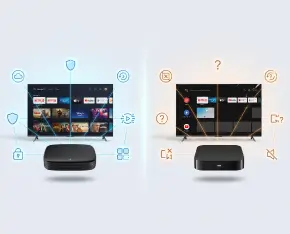
When choosing an Android TV box, buyers often focus on processor performance, RAM, storage capacity, Wi-Fi standards, and support for 4K video. These specifications are important, but they do not always tell you how the device will behave in everyday use.
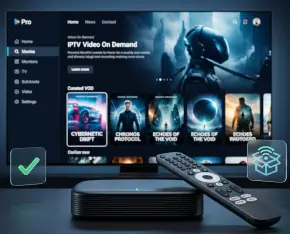
An IPTV set-top box or media player is not a product that should be selected only by price, memory size, or the first attractive photo on a product page. It becomes the central link between the TV, internet connection, IPTV provider, streaming apps, remote control, and the user’s viewing habits. If this link is weak, everyday entertainment quickly turns into a sequence of delays, buffering, app errors, overheating, or inconvenient navigation.
An IPTV set top box may contain far more personal information than you realize. Streaming service logins, viewing history, stored Wi-Fi passwords, IPTV provider credentials, installed applications, and custom settings can all remain on the device. For this reason, simply unplugging the box, packing it up, and giving it to someone else is not enough.
An IPTV set-top box can feel fast and responsive for months, then gradually begin to slow down. Menus may take longer to open, channel switching can become less responsive, apps may freeze during startup, and video playback may begin to stutter unexpectedly. If these issues started after you installed several games, streaming platforms, or other applications, the problem may be related to the device itself rather than your IPTV provider or internet connection.
IPTV is no longer just “television over the internet.” For today’s viewer, it is a way to access TV channels, movies, series, sports, program archives, and video on demand across a TV, smartphone, tablet, or set-top box.
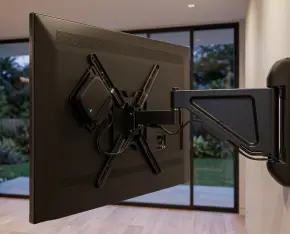
IPTV is no longer just a way to watch TV channels. For many users, the television has become the main home entertainment hub, bringing together movies, series, sports broadcasts, YouTube, and streaming platforms in one place. Still, there is one issue that often appears after adding new equipment: a clean TV area can quickly turn into a visible cluster of cables, power adapters, and devices. The good news is that a modern IPTV setup can be arranged so that it stays almost invisible while retaining its full functionality.
IPTV has become a normal part of everyday viewing: TV channels, films, series, and live broadcasts can be watched online from almost any device. But as the technology has grown, so has a market of services with very different levels of legality and transparency. These are often described as “white” and “grey” IPTV. They may look similar at first — familiar apps, large channel lists, and attractive promises — but the difference is much deeper than price. It affects security, reliability, viewing quality, and user protection.
When setting up IPTV, most users eventually face a practical question: how should they get a set-top box? Providers typically offer several options – a subscription with a device included, renting equipment, or purchasing it outright. At first glance, the difference may not seem significant, but in reality, each approach suits different needs and usage scenarios. Let’s take a closer look at buy or rent a set-top box decisions and what actually makes sense in each case.
Modern IPTV has evolved far beyond simply streaming TV channels. Today, it functions as a full-fledged multimedia hub capable of adapting to each user’s habits and preferences. However, when a TV is shared by multiple family members, things can quickly get disorganized—watch history gets muddled, recommendations become irrelevant, and interfaces may not be suitable for children. Fortunately, there's a simple solution: setting up individual user profiles with custom configurations.
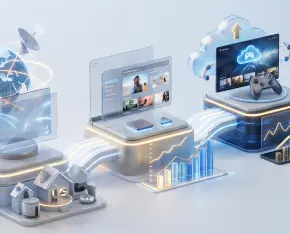
The home network has evolved far beyond basic internet access. Today, it supports entertainment systems that stream live television, on-demand video, and high-resolution content around the clock. IPTV set-top boxes and media players have become permanent network residents, constantly exchanging data with external services. While this connectivity enables convenience and rich functionality, it also introduces new challenges related to security, performance, and traffic predictability. VLAN technology offers a structured and efficient way to address these challenges without overcomplicating the home setup.

 Español