
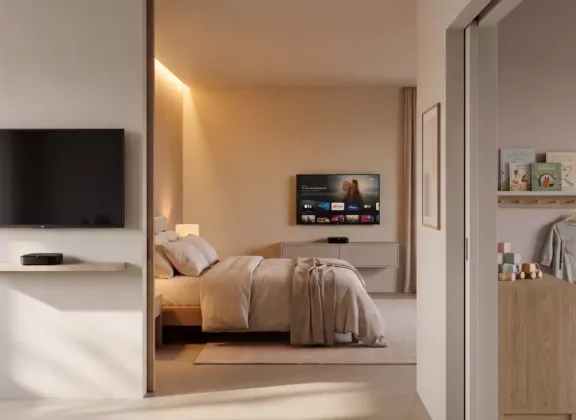
A streaming media player can turn a TV into a convenient entertainment hub without replacing the screen itself. But a device that works well for movie night may not be equally comfortable for catching the morning news or managing a child’s viewing time. Each room brings different expectations.
When choosing a streaming device, start with the way your household watches TV. Access to your preferred services is essential, while remote controls, headphone support, and profile settings shape everyday convenience. Understanding these differences helps you buy the features you will actually use.
Choose Your Content Before Comparing Devices
First, identify how you plan to watch. If you mainly use a live TV service with a channel guide, an IPTV set-top box supported by that provider may be a practical choice. If your household moves between streaming subscriptions, video apps, and live channels, consider a media player with an app platform that supports those services.
Product categories can overlap. The important question is whether the specific model works with your subscriptions in the United States. Check official app availability and your TV provider’s device requirements. An app that can be installed manually may not offer the same playback quality, updates, or remote-friendly interface as an officially supported version.
Treat 4K as one part of the setup. To enjoy it, you need compatible content, the appropriate subscription tier where required, and a suitable TV and HDMI connection. A player’s ability to output 4K does not mean every app will stream at that resolution. For an older secondary TV, reliable service compatibility may be the more useful investment.
A Kitchen Media Player Should Keep Viewing Simple
Kitchen TV usually fits around another activity. You might check the weather before leaving home, follow a cooking video, or keep a favorite channel on while making dinner. Quick access matters more here than an elaborate home screen. Look for easy navigation, convenient favorites, and a remote with buttons you can recognize at a glance.
Think about where the player will sit. An infrared remote generally needs a clear path to the device’s receiver. If you plan to tuck the box behind the screen, a Bluetooth remote can make navigation easier. However, TV power and volume functions may use infrared or HDMI-CEC, so confirm how those controls work with your television.
Keep the player away from the sink, stove, and areas exposed to steam. A compact enclosure still needs ventilation, and placing it inside a crowded cabinet can restrict airflow. Follow the manufacturer’s power instructions rather than assuming the TV’s USB port will provide enough power.
Match picture specifications to the screen. On a small 1080p kitchen TV, a higher-resolution output will not add display pixels. Clear menus, readable captions, and straightforward channel selection may contribute more to the experience. Consider your usual viewing distance, especially if you watch from a counter across the room.
A Bedroom Streaming Device Should Make Quiet Viewing Comfortable
A bedroom setup benefits from details that can go unnoticed elsewhere. A bright indicator light or audible fan may become distracting when the room is dark and quiet. Check whether the player is fanless and whether its status light can be dimmed or turned off. These features are worth confirming in the specifications or manual.
For late-night viewing, investigate headphone support. A product listing that mentions Bluetooth does not necessarily confirm Bluetooth audio output; the connection may serve accessories such as a remote. Verify that your chosen model supports wireless headphones, or check whether connecting them directly to the TV better suits your setup.
Test dialogue synchronization with the headphones and streaming apps you intend to use. Wireless audio can introduce a noticeable delay, and the result depends on both the equipment and the playback software. If available, audio delay adjustments may help. Make this check while you can still return the device under the retailer’s policy.
Also consider what happens when you fall asleep or finish an episode. The sleep timer may be a television feature rather than a player setting. Turning off the screen does not necessarily end the stream. Review standby behavior and the autoplay settings in your streaming services to make the evening routine more predictable.
A Kids’ Room Media Player Should Offer Controls You Can Verify
When choosing a streaming device for a child’s room, focus on what the child can access independently. A dedicated kids’ app is only one part of the setup. You also need to understand whether the child can open other apps, switch to an adult profile, or approve a purchase using a saved payment method.
Look for a platform with suitable parental controls. On supported Google TV devices, kids’ profiles allow parents to select accessible apps and set daily viewing limits and downtime. Check availability on the model you are considering and confirm which account settings are required before relying on these features.
App access and content restrictions are separate decisions. Allowing a streaming service does not automatically make its entire catalog suitable for a child. Set age restrictions within each service, protect adult profiles where supported, and review purchase authentication. Then enter the child’s profile yourself and test the available navigation paths.
Everyday usability matters as well. A straightforward physical remote lets children select approved content without needing a parent’s phone. Position the player securely and route cables away from walkways. A well-configured setup should make agreed viewing sessions easy to start and keep the boundaries understandable.
Test Connectivity Where the TV Will Be Used
Your internet plan’s advertised speed does not tell you how well a player will stream in every room. Wi-Fi performance can change with distance, walls, and the device’s position. Check reception near the TV, particularly if the player will sit behind the screen or inside a media cabinet.
An Ethernet connection is worth considering when running a cable is practical. If you will use Wi-Fi, test playback in the intended location before assuming that a higher-priced device will eliminate buffering. Review your services’ simultaneous-stream limits, too: buying another player does not automatically allow another person to watch at the same time.
For the kitchen, prioritize quick access and easy controls. For the bedroom, look for quiet operation and convenient private listening. For a kids’ room, choose parental settings you can configure and test. Start with service compatibility, then match the device to the viewing routine. The right media player is the one that makes everyday use easier.
