
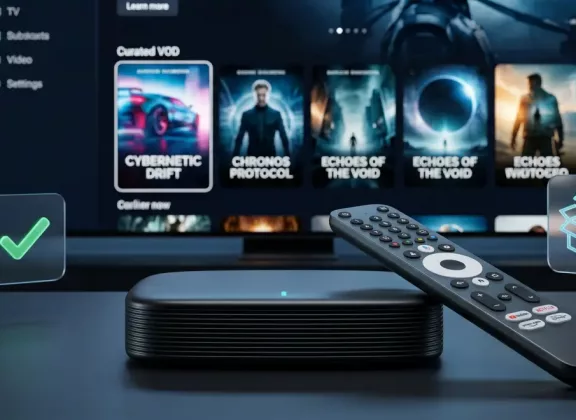
An IPTV set-top box or media player is not a product that should be selected only by price, memory size, or the first attractive photo on a product page. It becomes the central link between the TV, internet connection, IPTV provider, streaming apps, remote control, and the user’s viewing habits. If this link is weak, everyday entertainment quickly turns into a sequence of delays, buffering, app errors, overheating, or inconvenient navigation.
For customers of an online retail store, the choice usually comes down to two main categories: Linux IPTV set-top boxes and Google TV or Android TV media players. Both can be used for watching content on a TV, but they are built around different priorities. A Linux IPTV box is usually focused on stable television-style viewing, while a Google TV or Android TV device offers a wider smart entertainment environment. Understanding this difference before placing an order is the most reliable way to avoid a mismatch between expectations and real use.
Define the Main Viewing Scenario First
The right device is always chosen from the user’s actual scenario, not from the longest specification table. If the main task is to watch IPTV channels through a provider, portal, playlist, or operator-style service, a Linux IPTV set-top box can be the most logical option. These devices are commonly appreciated for fast channel access, simple menus, focused functionality, and stable operation during long viewing sessions.
If the device should also serve as a modern smart media hub, then a Google TV or Android TV media player is usually more appropriate. It can combine IPTV applications, streaming platforms, YouTube, video-on-demand services, voice search, casting from mobile devices, local media playback, and sometimes casual gaming. This makes it more flexible, but also increases the importance of app support, system updates, certification, and available storage.
Before comparing models, the buyer should clearly understand what the device must replace or complement. A customer who mainly needs a reliable IPTV receiver will evaluate the product differently from a customer who wants a full smart TV experience. This first decision makes every further check more accurate.
Make Sure the Device Fits Your IPTV Provider
IPTV compatibility should be checked before purchase, not after delivery. Different providers may use different access methods, including portals, M3U playlists, middleware systems, dedicated apps, electronic program guides, archives, time-shift functions, and video-on-demand sections. A device can be technically powerful and still be unsuitable if it does not support the required method of connection.
Linux IPTV set-top boxes often work well in focused IPTV environments, but the exact capabilities depend on the model, firmware, and supported services. Some are designed for portal-based viewing, others are more flexible with playlists and additional features. The customer should verify that the chosen box supports the format or platform used by the IPTV provider.
Google TV and Android TV media players usually depend on applications. If the IPTV provider offers an app, it is important to check whether it is made for TV screens and remote-control navigation. An app designed only for smartphones may be difficult to use on a television, even if it can technically be installed. For online orders, this compatibility check is one of the most important steps on the product page or in consultation with the seller.
Compare Linux, Google TV, and Android TV Experience
The operating system determines how the device feels every day. Linux IPTV boxes usually offer a direct, TV-oriented interface where channels, program guides, archives, and on-demand sections are easy to reach. This approach is well suited for users who want the device to behave like a traditional television receiver: switch on, choose a channel, watch.
Google TV and Android TV are designed around applications and content discovery. Their interfaces bring together streaming platforms, recommendations, search, accounts, voice control, and app-based services. This is convenient for households where viewers move between IPTV, streaming subscriptions, YouTube, media libraries, and casting from phones or tablets.
Neither platform is automatically better for every buyer. Linux can be the stronger solution for a dedicated IPTV setup with a predictable interface. Google TV or Android TV can be the better choice when the user wants a wider digital entertainment ecosystem. The operating system should match the habits of the household, not only the technical preferences of the person placing the order.
Judge Hardware by Real Performance, Not Marketing Claims
Hardware specifications matter, but they should be understood in relation to the operating system and intended use. A Linux IPTV set-top box does not always need the same amount of RAM or storage as an Android-based media player, because its software is usually more specialized. A well-optimized Linux device with moderate specifications may deliver quick channel switching, smooth menus, and stable IPTV playback.
Google TV and Android TV media players rely more heavily on processor performance, RAM, and internal storage. More memory helps when switching between apps, running IPTV players, using streaming services, or keeping the interface responsive. More storage is useful when several apps, updates, and media tools are installed. For 4K playback, the chipset and video decoding capabilities are more important than impressive but vague promotional wording.
It is also worth looking at software quality. A media player with strong hardware can still disappoint if the firmware is unstable, updates are rare, or the system is poorly optimized. User reviews that mention freezes, overheating, slow menus, app crashes, and long-term reliability are often more valuable than isolated numbers in the specification table.
Check Picture, Sound, and TV Connection Requirements
A good IPTV box or media player must be compatible with the TV and audio system. For standard Full HD viewing, most modern devices are capable enough, but 4K content requires a more careful check. The buyer should confirm the supported resolution, HDMI version, HDR capabilities, and video decoding formats before ordering.
Codec support is especially important for IPTV streams, local files, and streaming applications. Content may use H.264, H.265, VP9, AV1, or other formats. When the device supports hardware decoding for the required formats, playback is smoother and the system works with less load. This is particularly important for high-bitrate streams and 4K video, where weak decoding support can cause stuttering, delays, or excessive heating.
Audio compatibility is just as practical as picture quality. If the device is connected only to TV speakers, basic stereo output may be enough. If the customer uses a soundbar, AV receiver, or home theater setup, it is worth checking HDMI audio behavior, optical output when needed, and support for the required surround sound formats. A sharp image does not compensate for unstable sound or poor synchronization.
Give Network Stability the Same Priority as Hardware
IPTV viewing depends on the network as much as on the device itself. A powerful processor cannot fix weak Wi-Fi, unstable internet, or a router placed too far away. At the same time, a poor network module inside the media player can make a good connection perform worse than expected.
For IPTV, wired Ethernet remains the most reliable choice, especially for 4K streams, long viewing sessions, and homes with many connected devices. When choosing a Linux IPTV set-top box, the buyer should check whether the model includes a LAN port and what speed it supports. This is often a decisive detail for stable daily use.
For Google TV and Android TV devices, dual-band Wi-Fi is important if the device will be used without a cable. Support for 5 GHz Wi-Fi can provide better speed and less interference at short and medium distances. Compact TV sticks may not have a built-in Ethernet port, so the buyer should check whether an adapter is supported if wired connection is preferred. In real use, stable networking often matters more than a small difference in processor generation.
Evaluate the Remote Control as Part of the Device
The remote control is not a minor accessory. It defines how comfortable the device feels every evening. Linux IPTV set-top boxes often come with remotes designed for channel-based viewing, including numeric buttons, guide access, playback control, and quick navigation through TV functions. For users who watch live channels every day, this can be more convenient than a minimal smart remote.
Google TV and Android TV remotes are often compact and built around voice search, app navigation, and shortcut buttons. They are convenient for streaming services and search-based interfaces, but they may not be ideal for customers who prefer traditional channel numbers or frequent use of IPTV functions. Some remotes use Bluetooth, include a microphone, support TV power and volume control, or offer programmable buttons.
Before ordering, the buyer should examine the product photos and package description. It is worth checking whether the remote fits the expected usage style, whether voice control is included, and whether the remote requires direct line of sight. Even a technically advanced device can feel inconvenient if the main control tool is slow, poorly designed, or too limited.
Review Ports, Accessories, and Installation Details
A product page should make it clear what the customer receives in the box. Depending on the model, the package may include the set-top box or media player, power adapter, remote control, HDMI cable, batteries, documentation, or additional accessories. These details should be checked before payment, because missing cables or adapters can delay setup.
Ports should be reviewed according to the planned installation. USB is useful for external drives, keyboards, receivers, and service tasks. A microSD slot may help expand storage on some models. Bluetooth can be important for headphones, speakers, gamepads, and other wireless accessories. Optical audio output may be required for older sound systems. Compact Android TV or Google TV sticks usually have fewer physical ports, so expansion options should be considered in advance.
The physical format of the device also matters. A box placed inside a TV cabinet needs enough ventilation. A stick connected directly to an HDMI port must fit behind the TV and may still require a separate power source. Small installation details can affect convenience, cooling, Wi-Fi reception, and long-term reliability.
Check the Seller, Warranty, and Return Conditions
When buying IPTV equipment online, the quality of the seller is part of the purchase. A reliable retail store should provide clear product descriptions, accurate photos, transparent warranty information, and support that helps customers choose between Linux IPTV boxes and Google TV or Android TV media players.
Before placing an order, the buyer should understand the warranty period, return rules, delivery conditions, payment methods, and support channels. This is especially important for customers who are not fully sure which platform suits their IPTV provider or viewing habits. Good pre-sale consultation can prevent the wrong purchase, and good after-sale support can make setup easier.
Customer reviews should be read with attention to practical details. Comments about delivery condition, product authenticity, firmware stability, remote quality, overheating, Wi-Fi performance, and seller response are more useful than generic ratings. The lowest price is not always the best value if it comes with unclear warranty conditions or limited support.
Test the Device Carefully After Delivery
Once the device arrives, the first step is to inspect the package, housing, accessories, power adapter, HDMI cable, remote control, and documentation. The packaging and purchase documents should be kept until the product has been tested in real conditions. Only after that is it possible to understand whether the selected model truly fits the user’s setup.
A Linux IPTV set-top box should be checked with the actual IPTV service whenever possible. The customer should test portal or playlist connection, channel switching speed, electronic program guide, archive or catch-up functions, video-on-demand sections, sound synchronization, and stability during longer viewing. These tests show whether the box is suitable for the main purpose for which it was purchased.
A Google TV or Android TV media player should be tested with the apps the customer plans to use every day. App installation, account login, IPTV app behavior, streaming services, voice search, casting, subtitles, HDR output, audio settings, and Wi-Fi stability should all be checked early. If something does not work as expected, photos, screenshots, videos, and a clear description of the issue will make communication with the seller faster and more effective.
Choosing an IPTV set-top box or media player becomes easier when the buyer starts from real use rather than from abstract specifications. Linux IPTV set-top boxes are often the best match for focused, stable IPTV viewing, while Google TV and Android TV media players are better suited to a broader smart entertainment experience with apps, streaming, voice search, and casting. Before ordering, it is important to check IPTV compatibility, operating system, hardware balance, network performance, video and audio support, remote control, ports, accessories, seller reliability, warranty, and return conditions. This careful approach helps the customer choose a device that is easy to set up, comfortable to use, and reliable in everyday viewing.
